FC 26 Play Online With Friends: Ultimate Guide
The roar of the crowd built as the match kicked off, connecting distant teammates in a high-stakes showdown where every pass and shot carried the weight of shared victories and defeats.
In EA FC 26, this connection thrives through refined online features that allow gamers to link up effortlessly, transforming individual plays into collective triumphs across various platforms and modes.
With the game's evolution, FC players worldwide dive deeper into strategies that enhance teamwork, making each session a narrative of coordination and competition.
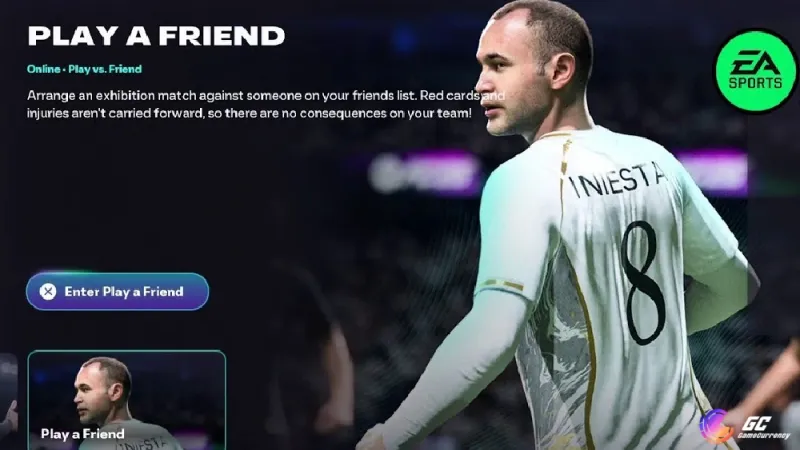
This progression not only heightens the excitement but also weaves tales of epic comebacks and unbreakable bonds that define the community's spirit. Also, check out our other blog for tips on how to Play Better in FC 26 Online Matches.
What Is Cross-Play in FC 26?
Cross-play is the ultimate squad-up feature that lets you FC 26 play online with friends on different platforms. In EA FC 26, if you’re on a current-gen console like PS5, Xbox Series X|S, or PC, you can play together seamlessly. The same goes for last-gen consoles—PS4 and Xbox One players can team up with each other.
But here’s the catch: you can’t mix current-gen and last-gen platforms, so a PS5 player can’t match up with a PS4 player. Also, Nintendo Switch players are limited to playing with other Switch users, as cross-play with other platforms isn’t supported (EA Help).
Cross-play works in these awesome modes:
- Ultimate Team: Co-op in Division Rivals or friendlies.
- Pro Clubs: Build your dream club with friends.
- Online Friendlies: Casual matches to flex your skills.
- Co-Op Seasons: Team up for ranked matches with real-world teams.
- Rush Football: Street football vibes with action.
In FC 26, "play online with friends" becomes effortless, allowing seamless matches across compatible platforms.
How to Enable Cross-Play in EA FC
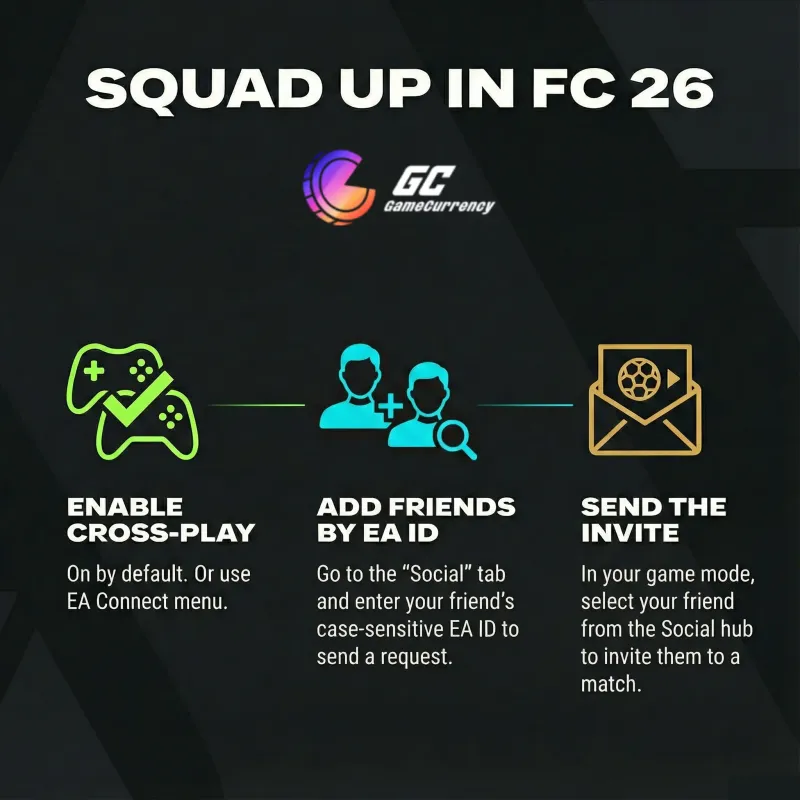
Good news: cross-play is turned on by default when you fire up EA FC 26 for the first time, so you’re probably ready to roll (EA Help). But if you need to check or tweak it, here’s how:
- From the main menu, go to “EA Connect” (bottom-right corner) or “Customise” > “Online Settings” > “Matchmaking Options.”
- Find “Cross-Play” and select “Cross-play settings.”
- Ensure “Cross-play Enabled” is set to “Yes.” If it’s off, toggle it to “Yes.”
You can also access these settings in Ultimate Team by going to “Settings” > “Matchmaking Settings.” Make sure your friends do the same so you’re all on the same page. If you want to stick to your platform only, you can toggle cross-play to “No,” but why limit the fun?
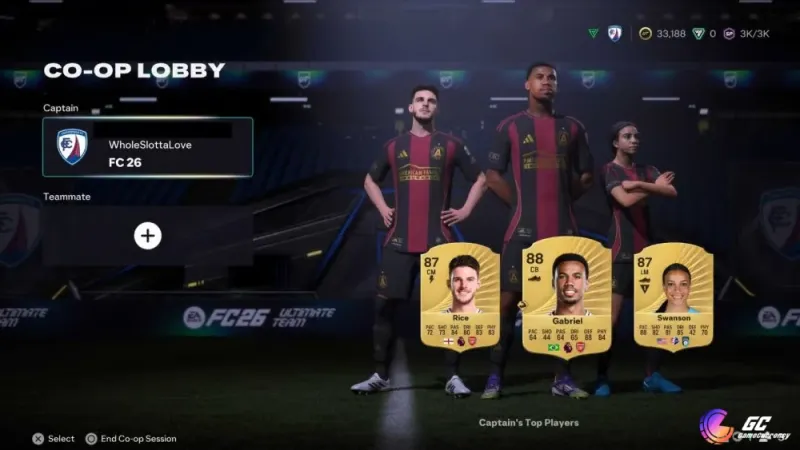
Adding Friends in FC 26
Before you can squad up, you need to add your friends to the game. Here’s the quick rundown:
- Head to the “Social” tab in the main menu.
- Select “Add Friend.”
- Enter your friend’s EA ID (case-sensitive, so get it right!).
- Send the friend request and wait for them to accept.
You can find your own EA ID in the Social tab, so share it with your crew. Once they’re added, you’re ready to invite them to matches. If you’re struggling to find someone, double-check the EA ID or ask them to confirm it in a group chat.
Enhance your squad by accessing top FC 26 players to dominate in online modes with friends.
Inviting Friends to Online Matches
Now for the fun part—getting into matches! Here’s how to invite friends based on the mode:
- Ultimate Team: Go to the “Social” tab, select your friend, and hit “Invite to Ultimate Team.” You can play co-op in Division Rivals, friendlies, or the new 5v5 Rush mode. Challenge against friends in FC26 through competitive modes like Division Rivals for intense rivalries.
- Pro Clubs: Create or join a club, then invite friends from the club menu to play together.
- Online Friendlies: Set up a friendly match, go to the lobby, and select “Invite Friends” (usually by pressing R2/RT on consoles). Play kickoff with friends FIFA 26 style in Online Friendlies for quick, fun matches without commitments.
- Rush Football: In Rush, invite friends to join your squad for street football matches.
- Co-Op Seasons: Invite friends for ranked matches using real-world teams.
Look for the “Invite Friends” option in the lobby or match setup screen. On consoles, you might need to press R2/RT (PlayStation/Xbox) to bring up the invite menu.

Tips for a Smooth FC26 Online Experience
To make your online matches with friends epic, keep these tips in mind:
- Stable Internet: Lag is the enemy. Ensure you’ve got a solid connection to avoid disconnects or choppy gameplay.
- Coordinate Playtimes: Use group chats or apps like Discord to plan when everyone’s online.
- Pick the Right Mode: Choose modes that suit your group’s vibe—Pro Clubs for teamwork, friendlies for casual fun, or Ultimate Team for competitive grinds.
- Have a Blast: It’s all about enjoying the game with your crew. Set up custom tournaments or friendly rivalries to spice things up!
Play FC 26 with friends in casual or ranked settings to build unforgettable gaming moments.
Troubleshooting Common Online Issues
Hey gamers, nothing kills the vibe like a glitchy online session in FC 26. We've all been there—mid-match disconnects or invites that ghost you. Don't sweat it; here's how to fix the usual suspects and get back to owning the pitch with your FC squad.
Fixing Connection Problems
Lag and disconnects? First, check your NAT type in the game settings—it should be Open for the smoothest play. If it's Strict, port forward on your router (ports 3659 UDP for EA servers) or switch to a wired connection. Test your internet speed on sites like Speedtest.net; aim for at least 5 Mbps upload/download.
If issues persist, restart your router or console, and peek at EA's status page for server outages. Pro tip: Avoid peak hours if you're on a shared network—early mornings are gold for lag-free games.
How To Play Online With Friends In FC 26 - Fastest Guide
Resolving Invite Errors
Can't send or receive invites? Double-check everyone's cross-play is enabled and you're all on the same gen (current or last). If the EA ID is wrong, resend the friend request—it's case-sensitive, remember?
Pro Tips for Winning with Friends
Squad up and dominate—FC 26 online with mates is all about synergy. Forget solo queuing; coordinated plays turn noobs into legends. Let's level up your group game with some fire strategies that'll have opponents raging in chat.
Communication Strategies
Voice chat is key—use built-in party chat on consoles or hop on Discord for crystal-clear comms. Call out positions like "I'm pushing left flank!" or "Cover the CDM!" In Pro Clubs, assign roles early: one shot-caller for tactics. For Rush mode, spam pings for quick passes. As FC 26 content creator VIT Yokaiii shared on X, "I bought FC26 to play Clubs with my friends, and I'm having a ton of fun.
Join voice channels on the official EA SPORTS FC Discord to find more squadmates and practice calls. It's a game-changer for turning chaotic matches into tactical masterclasses.
Squad Building Advice
Build chemistry like pros—mix nationalities and leagues for that green link boost in Ultimate Team. Focus on balanced squads: speedy wingers for counters, tanky defenders for parking the bus. In Co-Op Seasons, pick teams with OP players like upgraded Mbappé or Haaland.
Grind SBCs together for cheap upgrades, and trade tips on Reddit's r/EASportsFC, where daily threads drop meta builds. Follow EASFCDirect on X for patch notes that shake up the meta—adapt quickly, and your crew will climb divisions faster than a glitch goal.
Join the FC 26 Community
FC 26 isn't just a game; it's a vibe with a massive community. Dive in to find tourneys, trading tips, and memes that'll keep you hooked. Hit up Reddit's r/EASportsFC for daily discussions and squad advice—it's popping with over 500k members as of 2025.
Follow EASFCDirect on X for updates, and check EA Forums for deep dives into modes. YouTube channels like FUT Weekly drop guides—perfect for leveling up with your friends. Get involved; it's where legends are made!
Conclusion
Playing online matches in FC 26 with friends is a total game-changer, thanks to cross-play. Whether you’re dominating in Ultimate Team, building a Pro Clubs dynasty, or just kicking it in VOLTA, you can squad up with your mates across PS5, Xbox Series X|S, or PC (or PS4 and Xbox One for last-gen players).
Just enable cross-play, add friends with their EA ID, and send those invites. With a solid connection and some coordination, you’ll be scoring bangers and laughing with your crew in no time. Click here to see all FC players and elevate your team's potential today.
Podcast audio
Listen to the audio version of this blog post.
Your browser does not support the audio element.